-1.png?width=151&height=28&name=Traact_Logo_Blue%20(1)-1.png)
How to Add Minute Book Notes: Step-by-Step
Step 1: On the main entity page, select the entity you wish to update with minute book notes;
Step 2: Once on the entity overview page, click on "Minute Books";
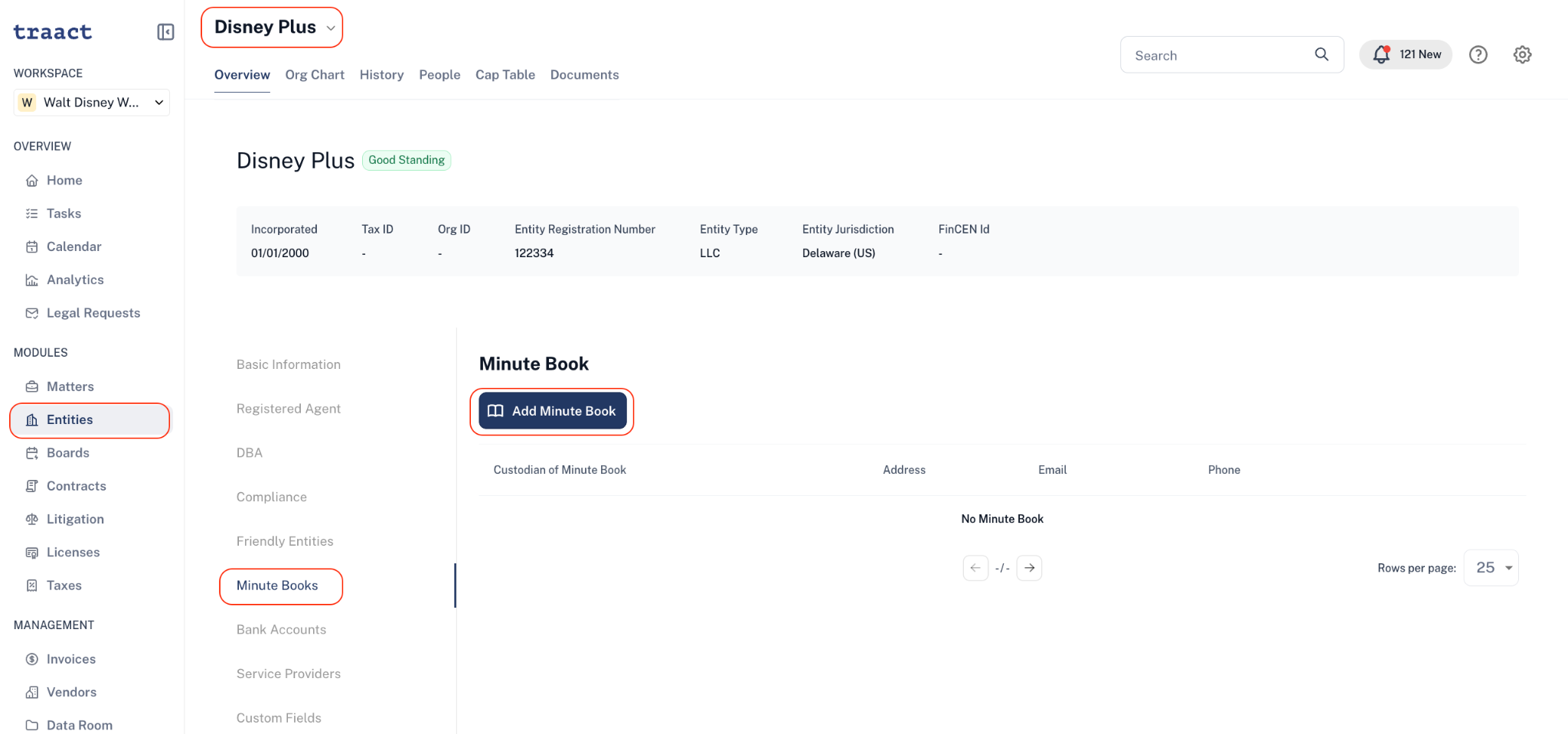
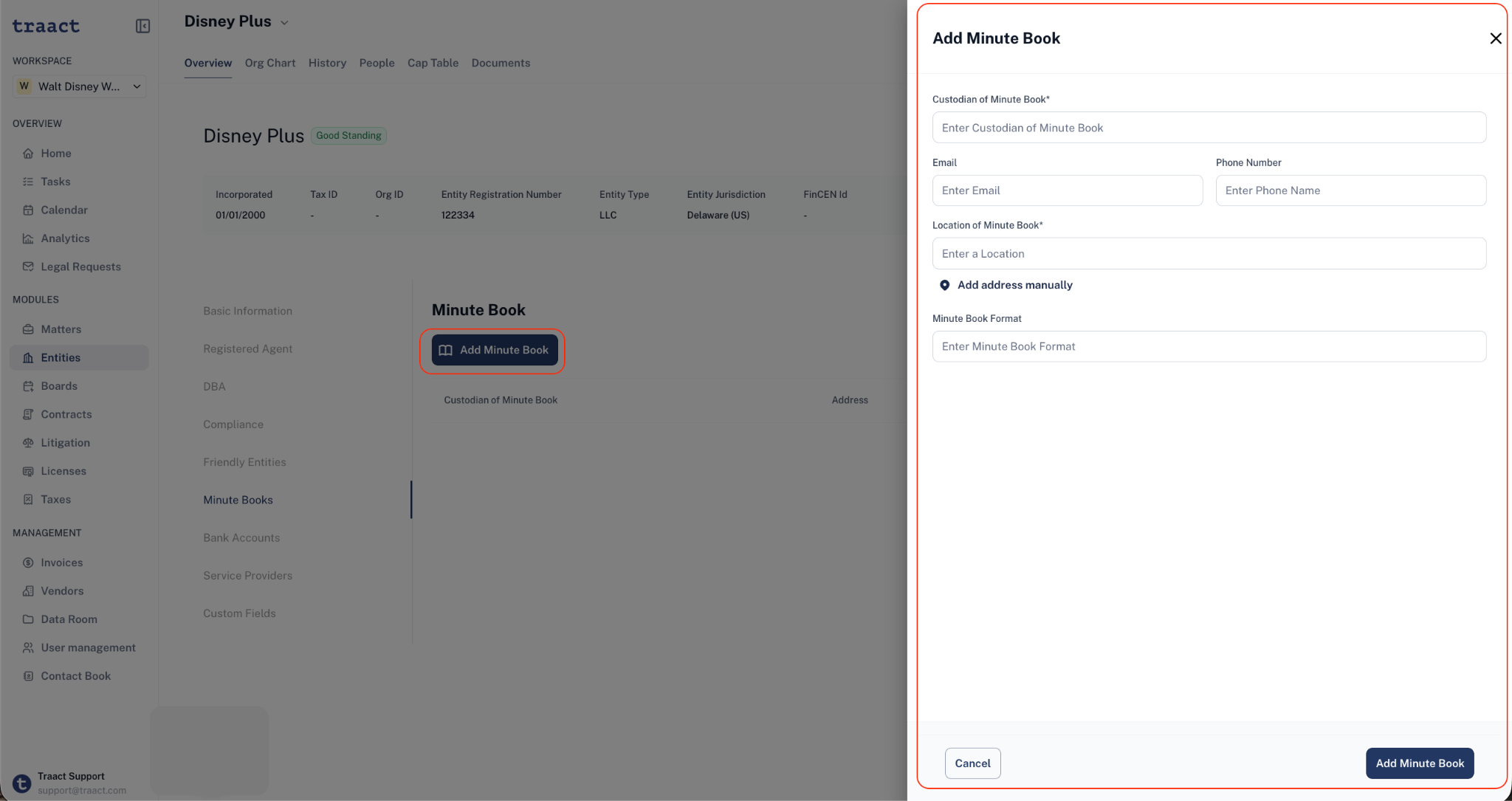
Step 3: Complete the required and optional fields and click on "Add Minute Book";
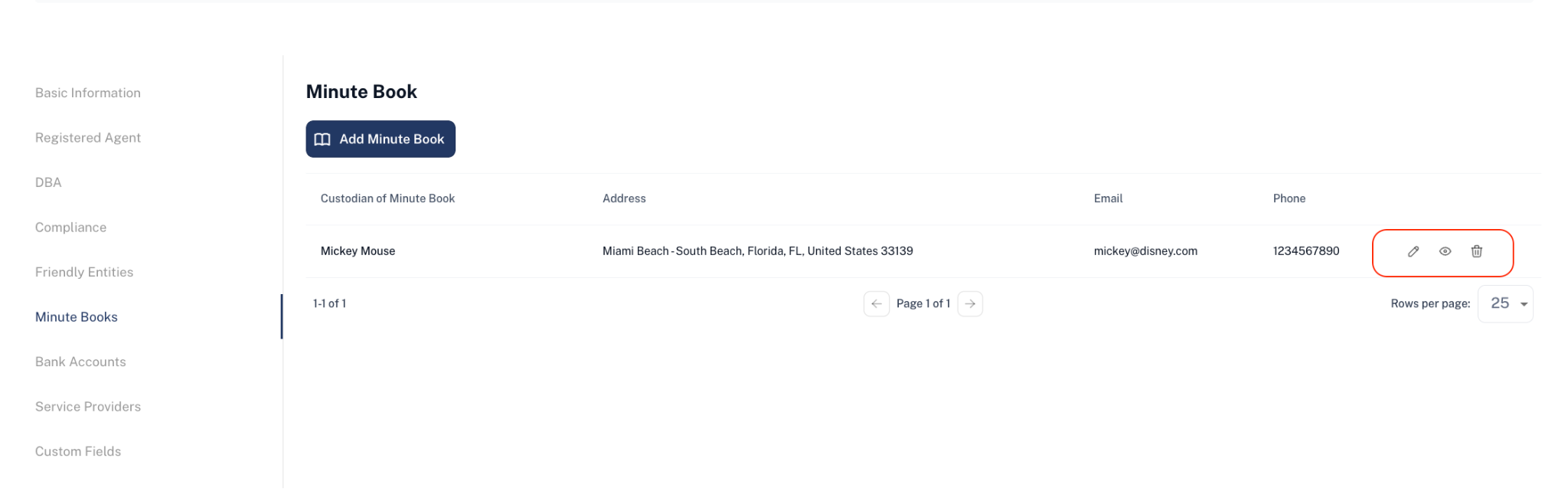
Step 4: The minute book will be created. To add notes the minute book notes click the edit icon;
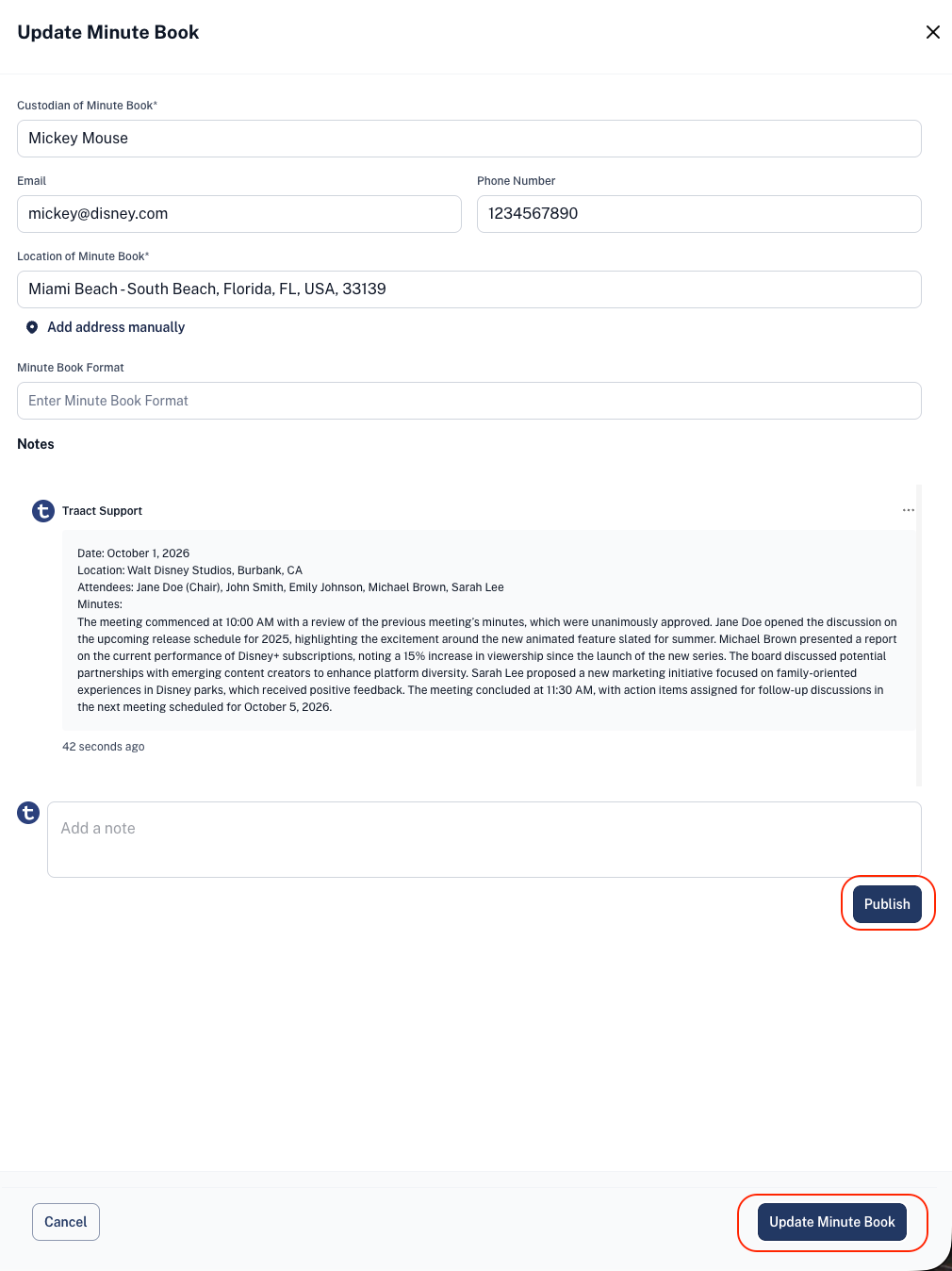
Step 5: Finally, enter the desired minute book notes and save the changes.
Who Can See, Add or Edit the Minute Book Notes?
Traact utilizes a granular permission system, allowing only 3 types of user levels to see, add, or edit minute book notes:
-
Admin users;
-
Users with "edit" permission for the entity management module across all entities;
-
Users with "edit" permission for the entity management module who have visibility set for the selected entity.
Note: Users with "View" or "No Access" permissions for the entity management module will not be able to see, add, or edit minute book notes or custodian information.
Need Help?
If you have any questions or need assistance with a request, please contact your Customer Success Manager or reach out to the Traact Support team.