-1.png?width=151&height=28&name=Traact_Logo_Blue%20(1)-1.png)
What's New
You can now link emails to matters even when no attachments are included, ensuring all relevant communications are captured in Traact.
Step-by-Step Instructions
Step 1: Open Google Chrome and navigate to the Traact Gmail Extension
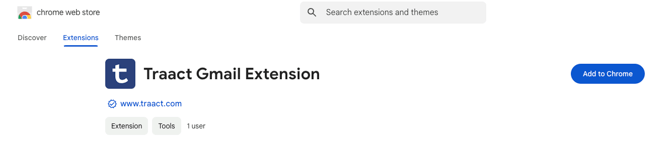
Step 2: Click "Add to Chrome" and "Add Extension"
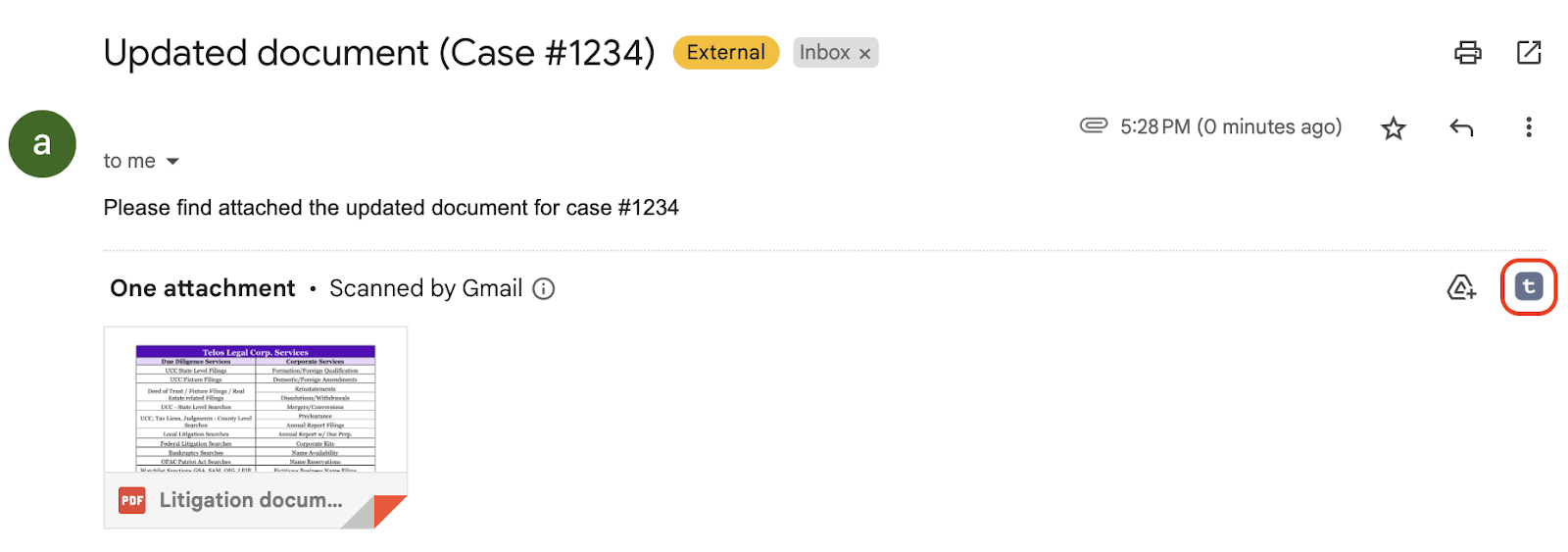
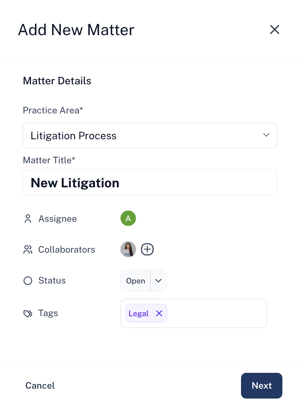
Step 3: Go to mail.google.com and open any email — with or without attachments. You will see the Traact icon button. Click it to begin the experience.
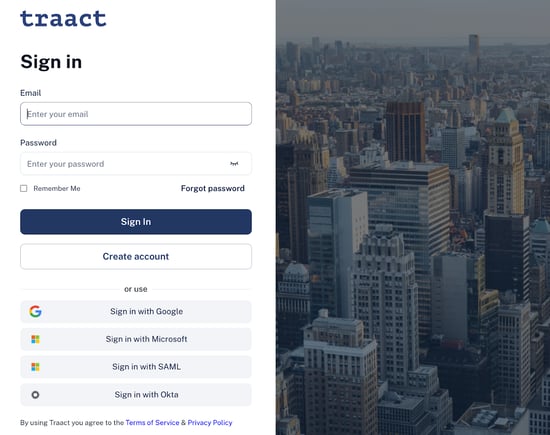
Step 4: A pop-up window will appear, prompting you to log in to your Traact workspace using your credentials and then select your workspace.
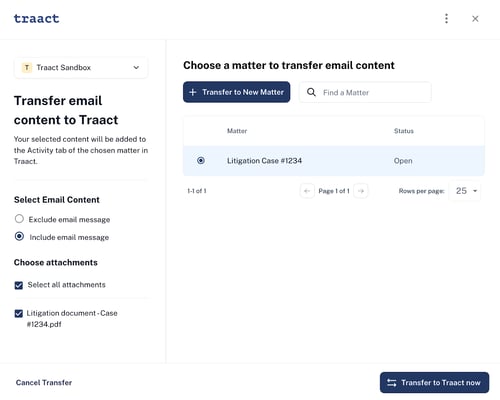
The email body will appear under the Matter’s Activity tab. Any attachments (if present) will be included automatically.
Notes
-
Emails can be linked to matters regardless of attachment presence.
-
Email visibility follows existing Matter permissions.
Need Help?
If you have any questions or need assistance with a request, please contact your Customer Success Manager or reach out to the Traact Support team.