-1.png?width=151&height=28&name=Traact_Logo_Blue%20(1)-1.png)
Step 1: Open the Sign In page
Step 2: Sign in with your account
Step 3: Complete authentication
Navigate to your organization's Traact login page.
If your organization has enabled SSO, you will see the following authentication options:
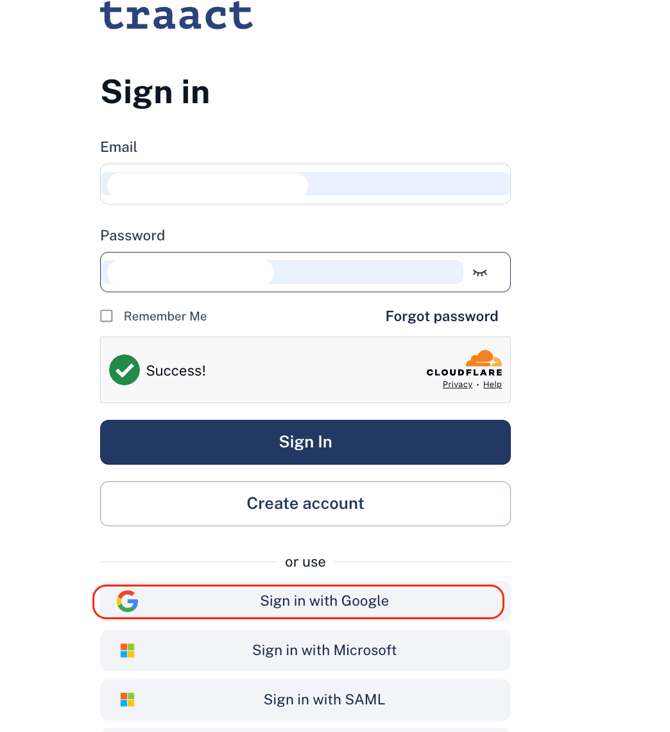
Click on Sign in with Google to continue using your Traact Workspace.
Step 2: Sign in with your account
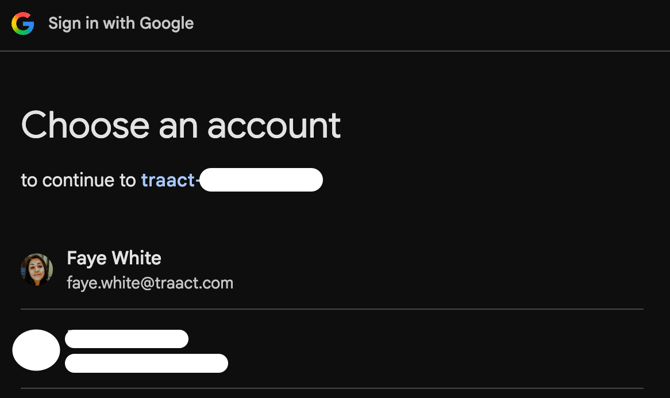
If you selected Google:
- Choose your Google Workspace account.
- If prompted, enter your Google credentials.
- Complete Multi-Factor Authentication (if required).
Step 3: Complete authentication
After successful authentication, you will automatically be redirected back to Traact.
No additional password is required.
What happens after signing in?Once authenticated, you'll have access to Traact based on the permissions assigned to your account.
Depending on your organization's security policies, you may also experience:
- Automatic login on future visits
- Multi-Factor Authentication (MFA)
- Conditional Access Policies