-1.png?width=151&height=28&name=Traact_Logo_Blue%20(1)-1.png)
To get started:
-
Click the icon next to Custom Fields
-
Select Add Field.
-
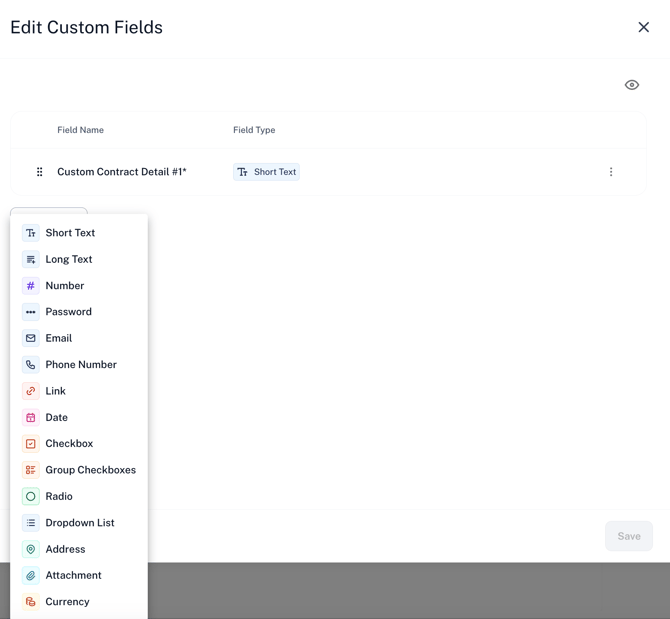
Choose your desired field type from the dropdown menu.

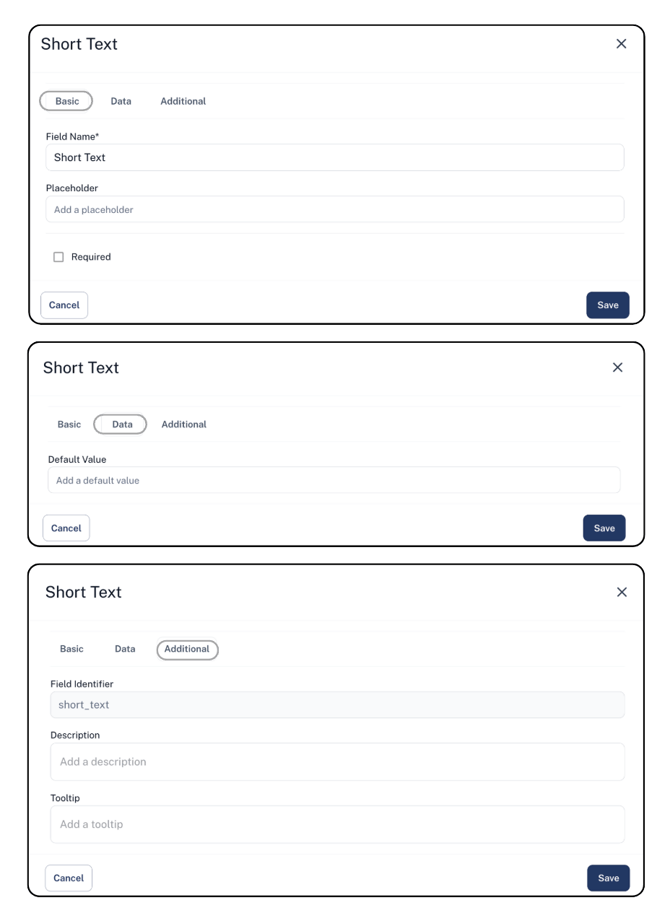
You can further personalize the field by customizing the name and placeholder text, setting it as required, and adding default data, descriptions, or tooltips to guide users.
Once added, these custom fields will appear on all contracts, regardless of their type. While they cannot be deleted, you can choose to hide them if they are no longer needed.
Need Help?
If you have any questions or need assistance with a request, please contact your Customer Success Manager or reach out to the Traact Support team.