-1.png?width=151&height=28&name=Traact_Logo_Blue%20(1)-1.png)
Where Task Dependencies Can Be Applied
The task dependency feature is available in two key areas of the platform:
1. Inside the Matter Module (Using Tasks)
-
Dependencies can be set between any tasks related to a specific matter.
-
Ideal for managing tasks that are contextually tied to a legal case, project, or matter.
2. Inside the Tasks Module (Using Subtasks)
-
Dependencies can be set between subtasks within a main task.
-
Useful when you are managing a standalone task that contains smaller, dependent steps.
How to Set Up Task Dependencies
Matter Module (Using Tasks)
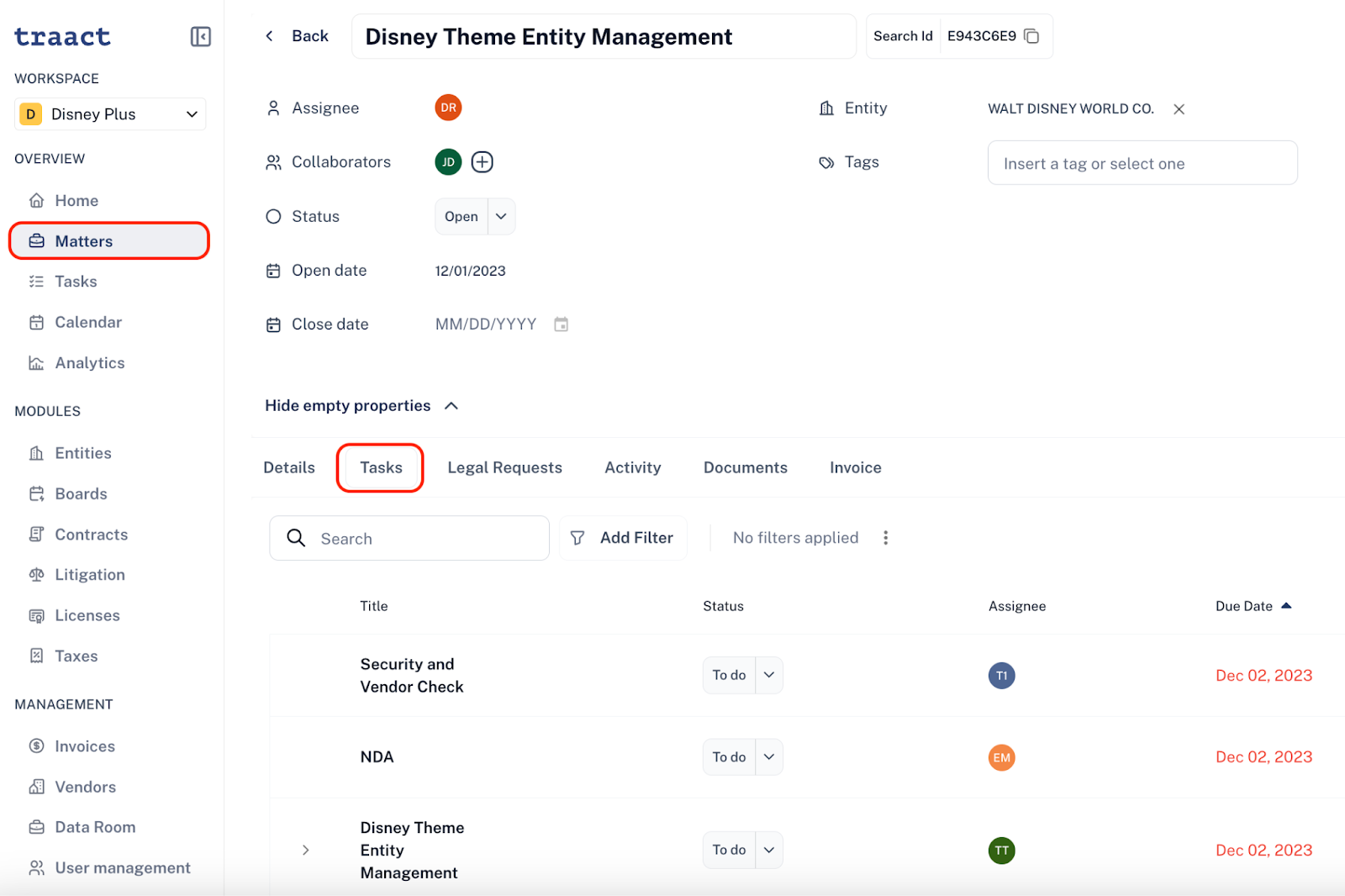
Step 1: On the Matter module, open a specific matter.
Step 2: Click on the Tasks tab to view all tasks related to that matter.
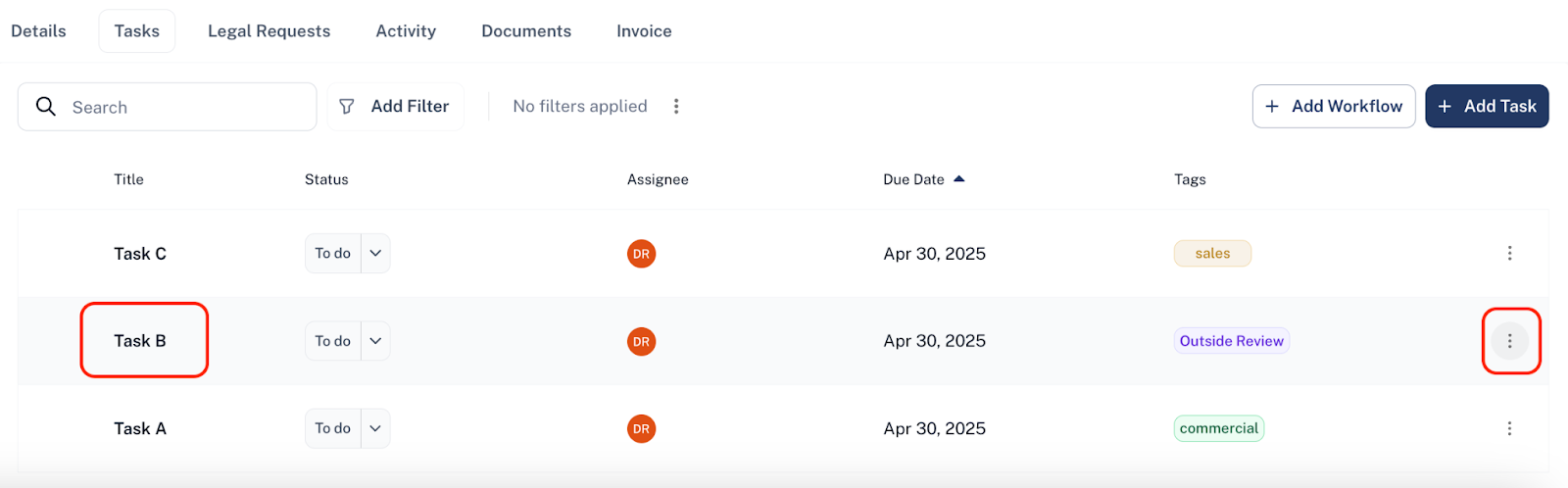
Step 3: If the start of a task relies on the completion of another task(e.g., Task B depends on Task A), locate Task B then click on the three-dot menu next to Task B and select "Add Dependency".
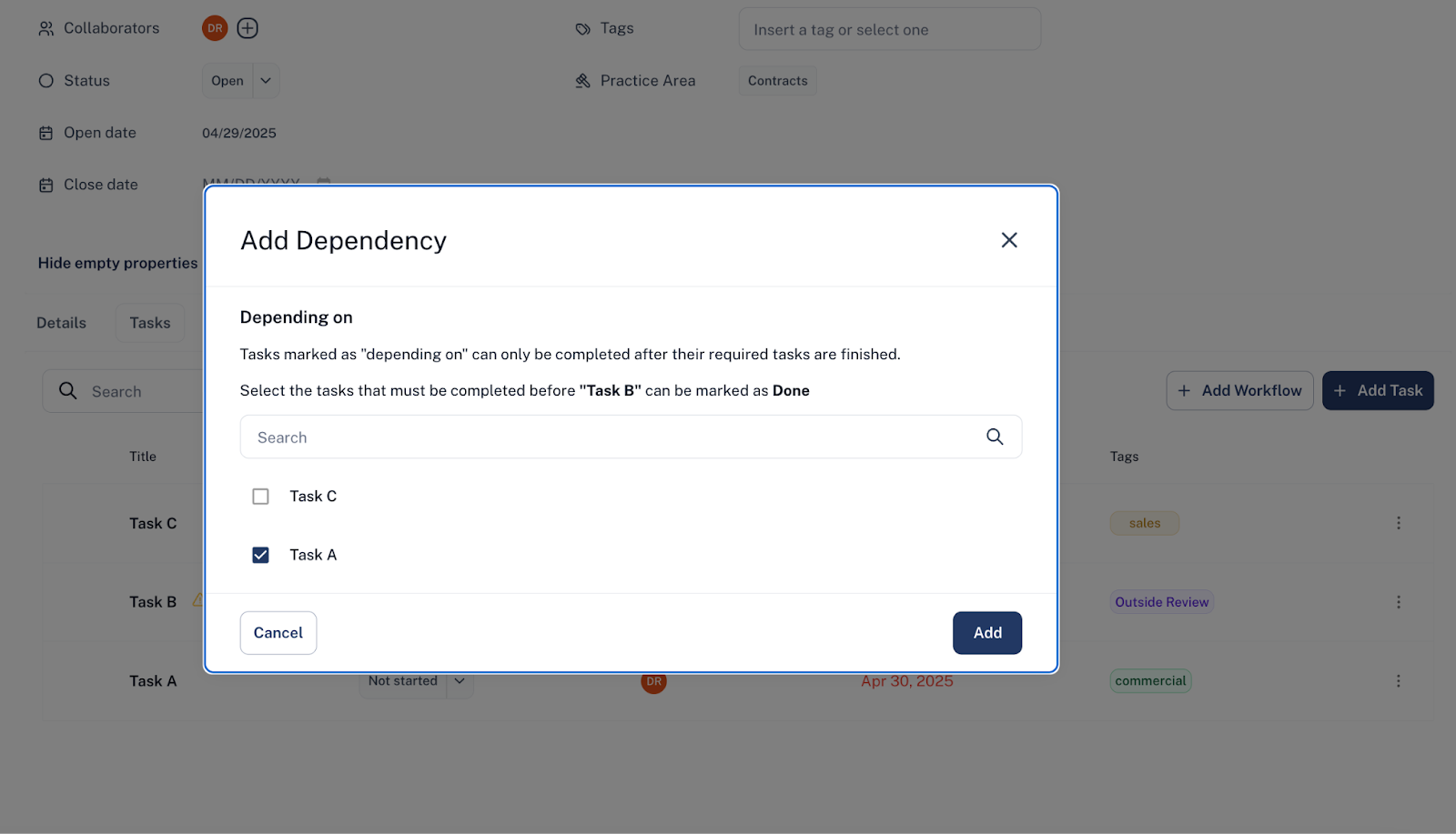
Step 4: Finally, choose Task A (or the relevant task) from the list. Task B is now dependent on the completion of Task A.
Tasks Module (Using Subtasks)
Step 1: On the Tasks module, open or create a main task.
Step 2: Add subtasks to this main task.
Step 3: To set up a dependency between subtasks (e.g., Subtask B depends on Subtask A), click the three-dot menu next to Subtask B and Select "Add Dependency".
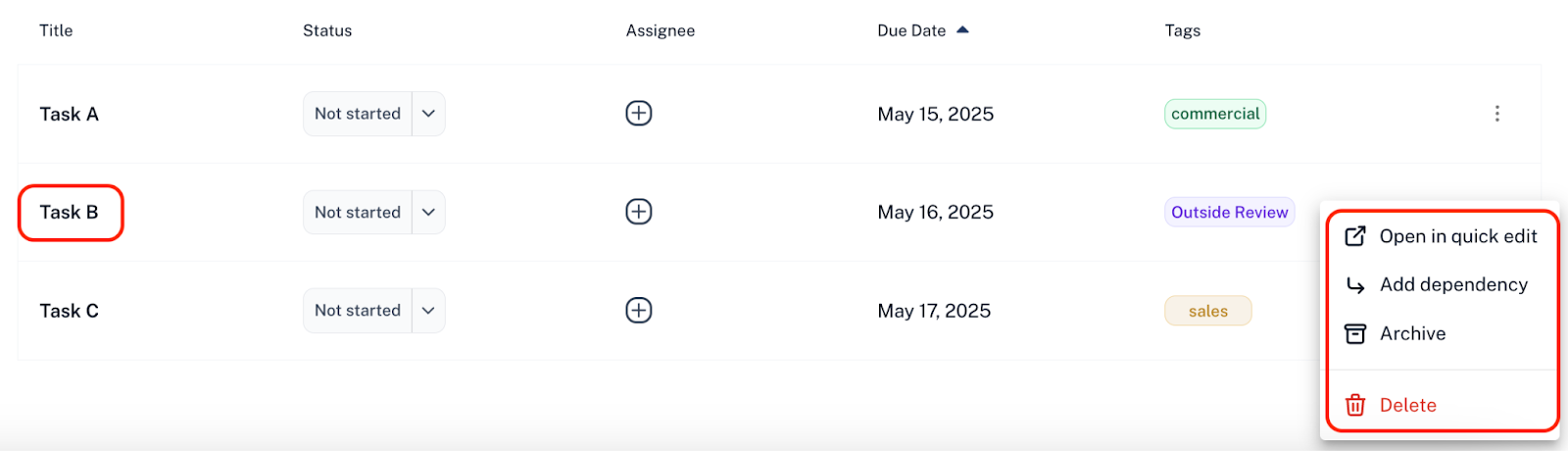
Step 4: Finally, choose Task A (or the relevant task) from the list.
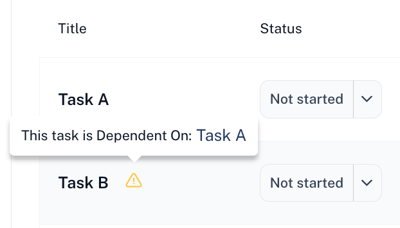
This dependency ensures Subtask B can only be completed once Subtask A is finished, helping you maintain a logical and controlled workflow.
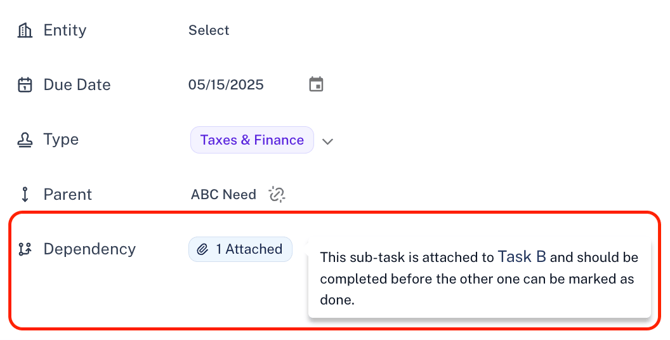
How Task Dependency Notifications Work
When a task dependency is configured - such as Task B being dependent on Task A - it ensures that Task B shouldn't be worked on until Task A is completed.
Once Task A is marked as "Done", the assignee and collaborators of Task B will automatically receive a notification via email and in-app indicating that the prerequisite task has been completed and they may now begin working on Task B. This helps maintain proper task sequencing and promotes efficient workflow management.
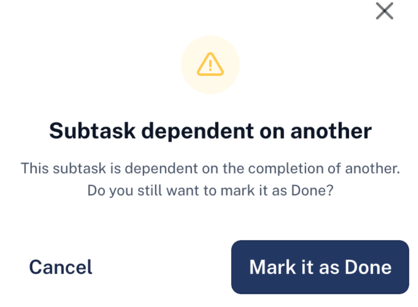
What Happens If I Mark a Task or Subtask as Done Before Its Dependency Is Complete?
If you attempt to change the status of a task or subtask that depends on another which hasn’t been completed yet, a warning message will appear. This message will ask you to confirm whether you want to mark it as done, even though its dependency is still incomplete.
If you have any questions or need assistance with a request, please contact your Customer Success Manager or reach out to the Traact Support team.